

Agent Evaluation#
EvalScope’s Agent Evaluation lets either the model itself or an off-the-shelf agent CLI complete an evaluation sample inside a controlled multi-turn tool-use loop. The full interaction is recorded for step-by-step replay in the Web UI.
Two modes#
Mode |
When to use |
Docs |
|---|---|---|
Native AgentLoop |
Wrap a regular benchmark (GSM8K, AIME, SWE-bench, …) in a tool-use loop to evaluate the model’s own tool-use ability |
|
External Agent Bridge |
Evaluate Claude Code / Codex and similar off-the-shelf agent CLIs; EvalScope forwards the CLI’s LLM traffic to your evaluation model |
Both modes are configured through TaskConfig.agent_config. A single evaluation picks exactly one mode.
Trace visualization#
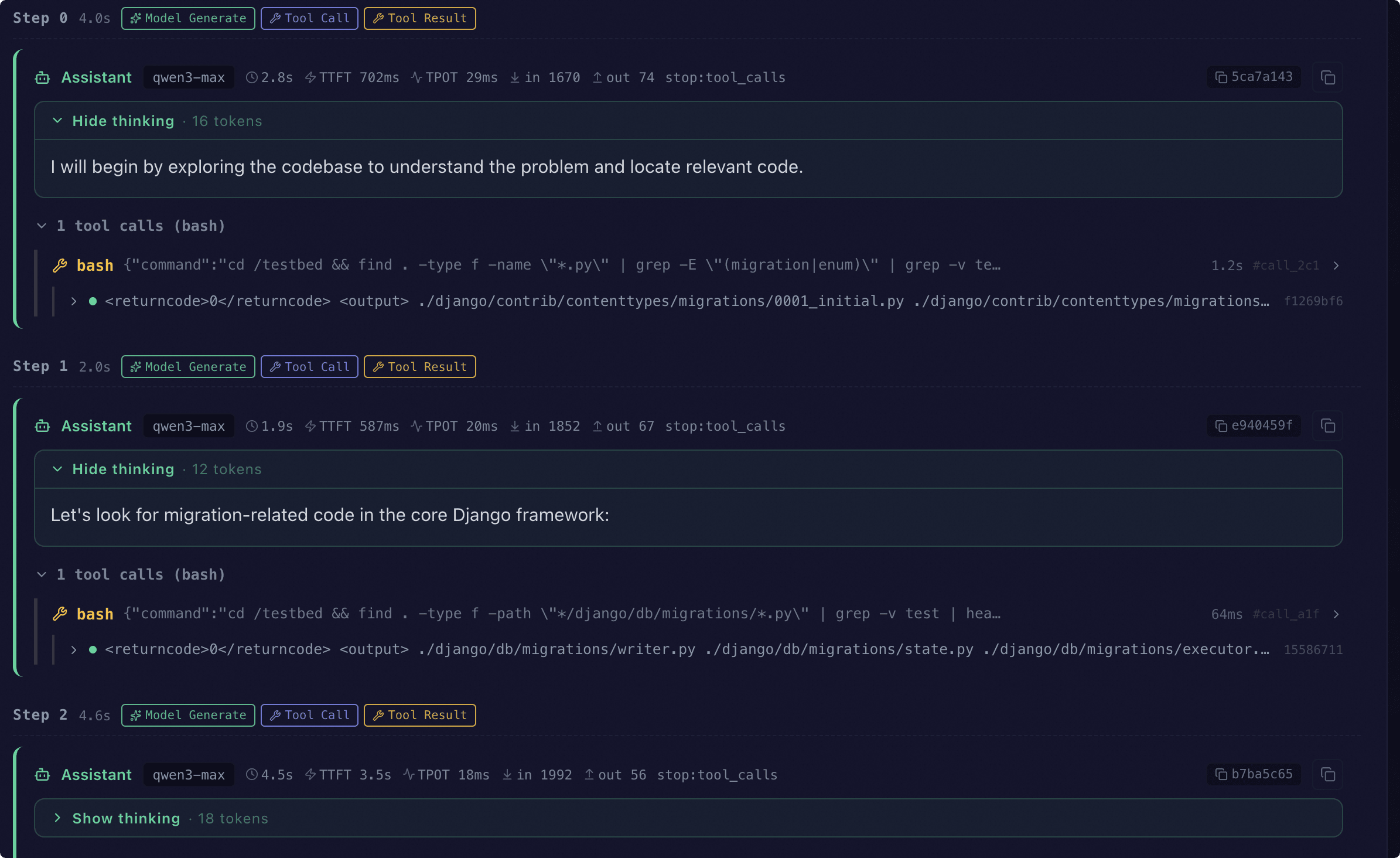
With Agent Evaluation enabled, every sample carries a trace. The Web UI replays the full interaction step by step:
Start the web service:
evalscope service --outputs ./outputs.Open the dashboard, select the target report and go to Single-model details → Predictions.
When a trace is detected, the UI renders the Agent Trace view grouped by
step.
In chronological order the view shows:
The model’s reply at each step (reasoning, latency, token usage)
Tool calls and their observations (multiple calls within one step are grouped)
Sandbox commands (bash, python_exec, or the external CLI’s actual command line)
System reminders and errors (nudges when the model fails to call a tool, plus parse / tool-execution errors)
See also
For the Web dashboard in general (report comparison, predictions view, …), see Visualization.
FAQ#
When should I set agent_config, and when should I rely on a benchmark’s built-in AgentLoop?
To turn a regular benchmark (GSM8K, AIME, IFEval, HLE, …) into a multi-turn tool-use task → set
AgentConfigorExternalAgentConfigonTaskConfig.agent_config.For intrinsically agentic benchmarks (SWE-bench agentic, Terminal-Bench, …) → just run the dataset and tune
dataset_args.extra_params. Do not setagent_config; it is ignored.Benchmarks like
swe_bench_proship their own per-sample environment and can be combined with the External Agent Bridge — just leaveenvironmentempty.
For mode-specific issues, see each sub-page: Native AgentLoop FAQ · External Agent Bridge FAQ.